Wirepas Network
Location: Network → Wirepas
Monitor and manage your Wirepas mesh network — the wireless infrastructure that connects your tags.
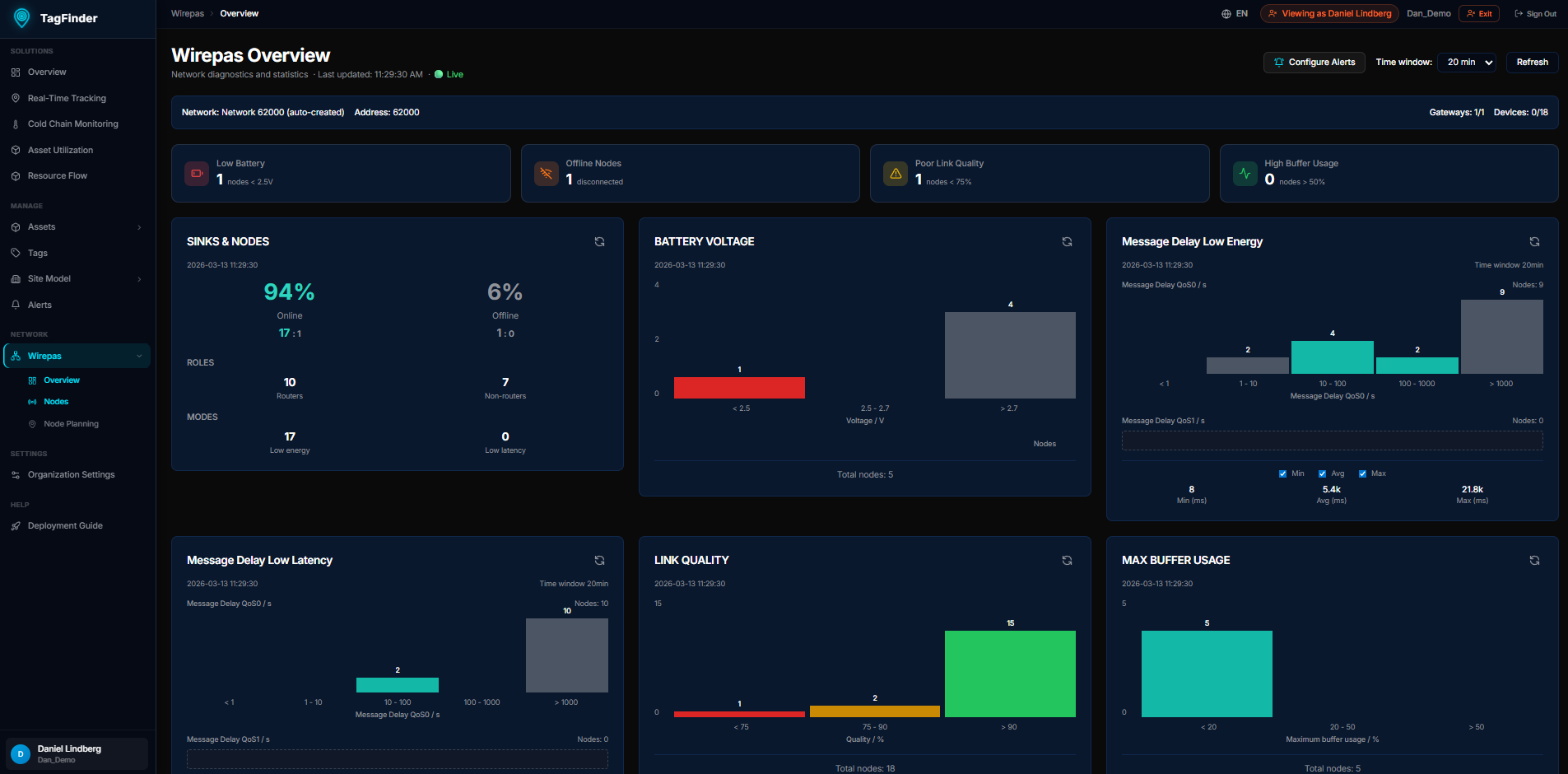 The Wirepas network overview showing battery, signal quality, and firmware distribution.
Network Overview
Location: Wirepas → Overview
Dashboard showing the health of your mesh network:
- Battery Voltage — distribution of tag battery levels
- Link Quality — mesh connectivity quality metrics
- RSSI — signal strength distribution
- Installation Quality — how well tags are positioned for mesh coverage
- Firmware Versions — distribution of firmware across your tag fleet
- Network Stats — message rates, buffer usage, and delay metrics
Node Planning
Location: Wirepas → Node Planning
Place your anchors and routers on the floor plan by dragging them from the list onto the map. The platform needs to know where the anchors are before it can work out where a tag is.
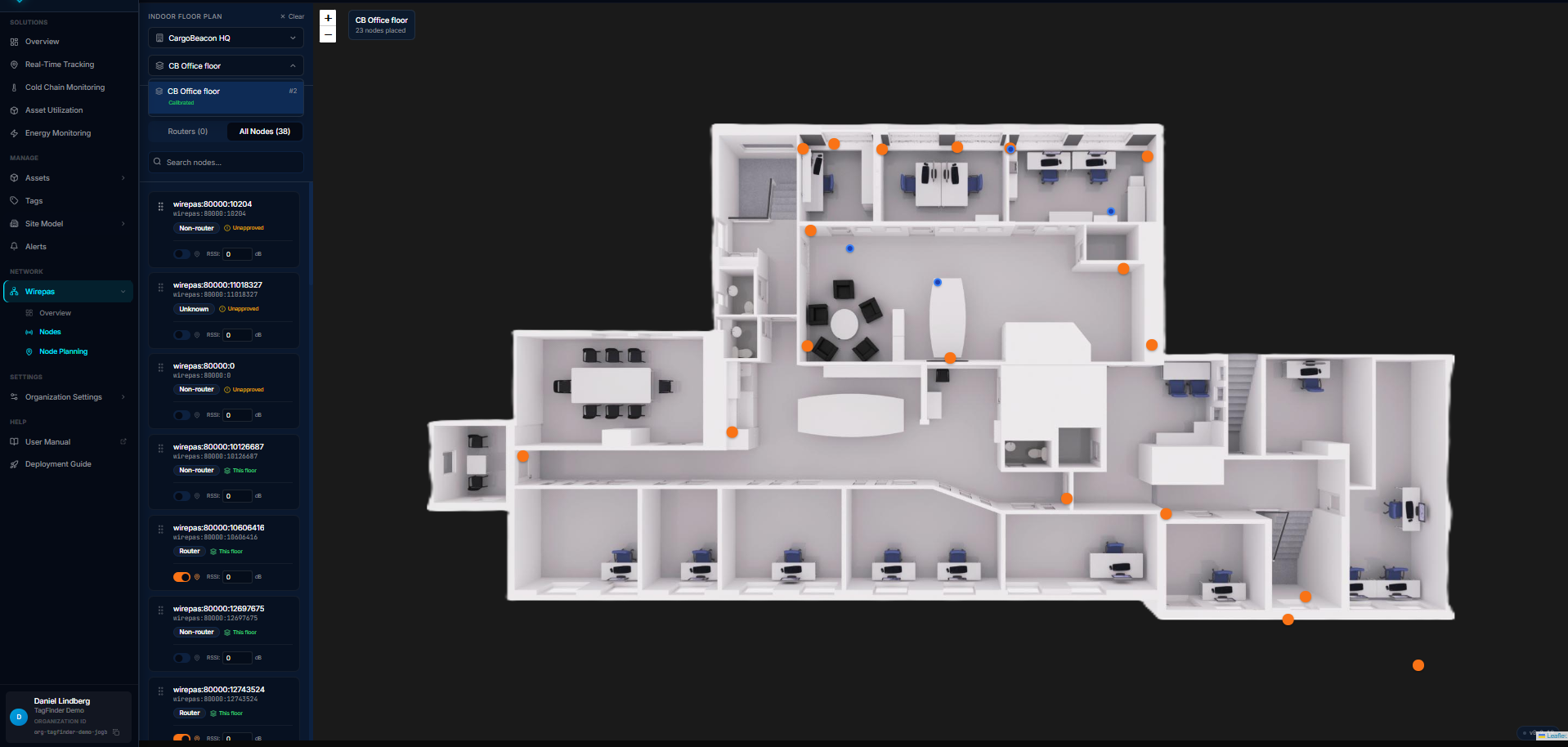 Nodes placed on a calibrated floor plan. Routers and non-routers are listed on the left with their signal strength.
Tag Explorer
Location: Wirepas → Tags (main Wirepas page)
Browse all Wirepas tags in your network:
- Tag ID — unique identifier
- Status — online/offline
- Battery — current voltage level
- Last seen — most recent report timestamp
- Sensor data — temperature, movement, and other readings (if supported by the tag)
Click a tag to see its detailed history and sensor data.
Network Health Tips
Good mesh coverage
For reliable indoor positioning, ensure tags can "see" at least 3 anchor nodes. The Overview dashboard's Installation Quality card helps identify weak spots.
Low battery
Tags with battery voltage below 2.4V should be replaced soon. Set up an alert rule to get notified before batteries die.